
Settings
The Settings Module is where you configure your firm's core details, app preferences, and external integrations like Meta WhatsApp Business.
How to Navigate
- Log in to your Arthix application dashboard.
- Click on the Settings icon (the gear icon ) located at the bottom of the main left-hand sidebar.
- From the pop-out menu that appears, select General Setting.
- You will now see the Settings interface with its own inner sidebar. Select Info under the Basic Settings section.
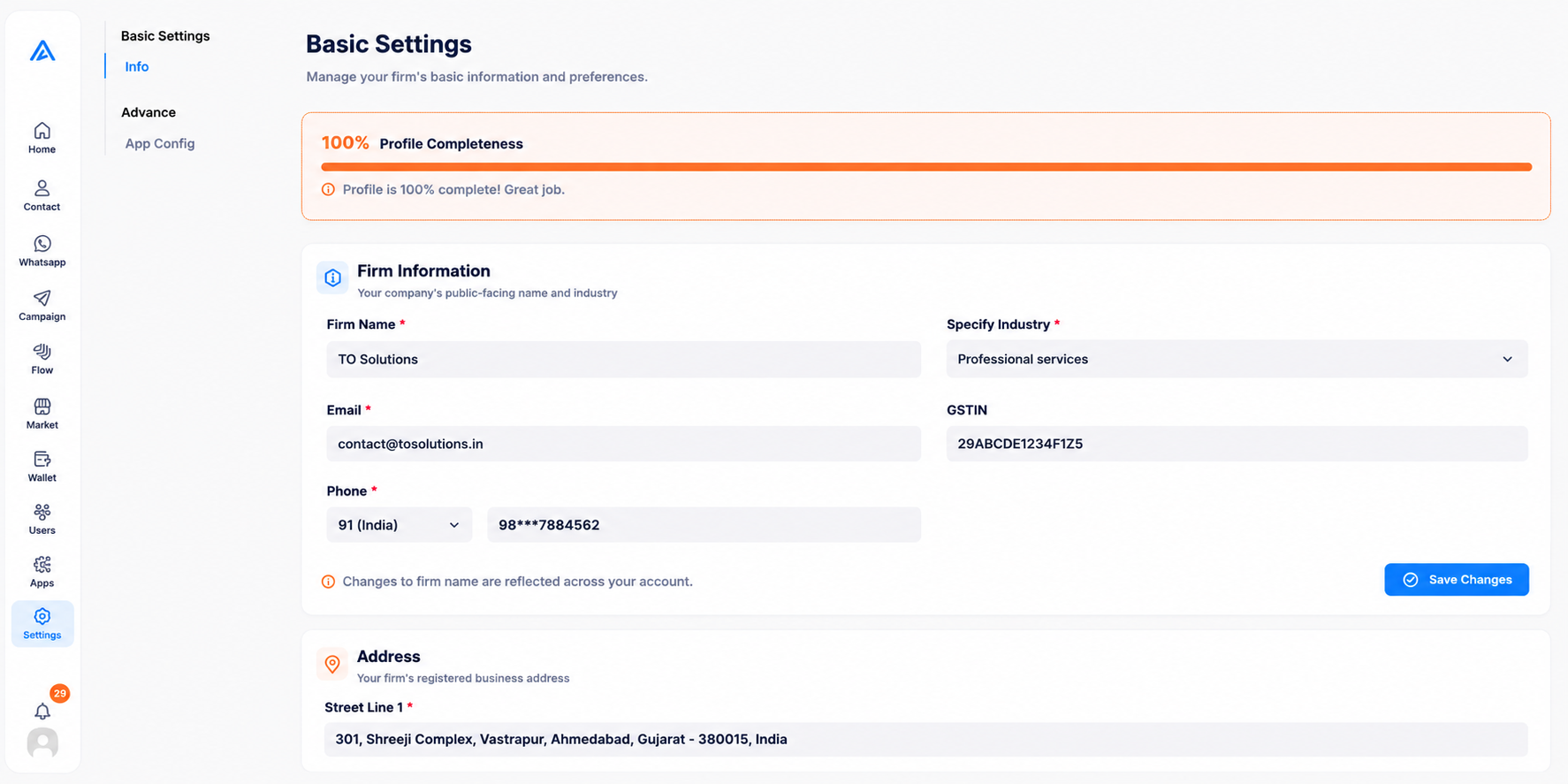
Firm Information
This section defines your company's public-facing name and industry details. This information represents your business across the platform and may be visible to end-users depending on your campaigns.
- Firm Name: Your official business name (e.g., Arthix). Changes to the firm name are reflected across your entire account.
- Industry: The specific sector your business operates in (e.g., Technology). This helps the system tailor certain defaults to your needs.
- Email & Phone: Your primary business contact details used for billing, notifications, and platform support.
- GSTIN: Your Goods and Services Tax Identification Number (applicable based on your region) for billing and compliance.
Address
Configure your firm's registered business address. This is critical for invoicing and legal compliance. Make sure to provide complete Street, City, State, and Zip code details.
Profile Completeness
A progress bar at the top of the Info page indicates your Profile Completeness. Achieving 100% ensures all platform features function optimally and billing is compliant.
A progress bar at the top of the Info page indicates your Profile Completeness. Achieving 100% ensures all platform features function optimally and billing is compliant.