App Marketplace
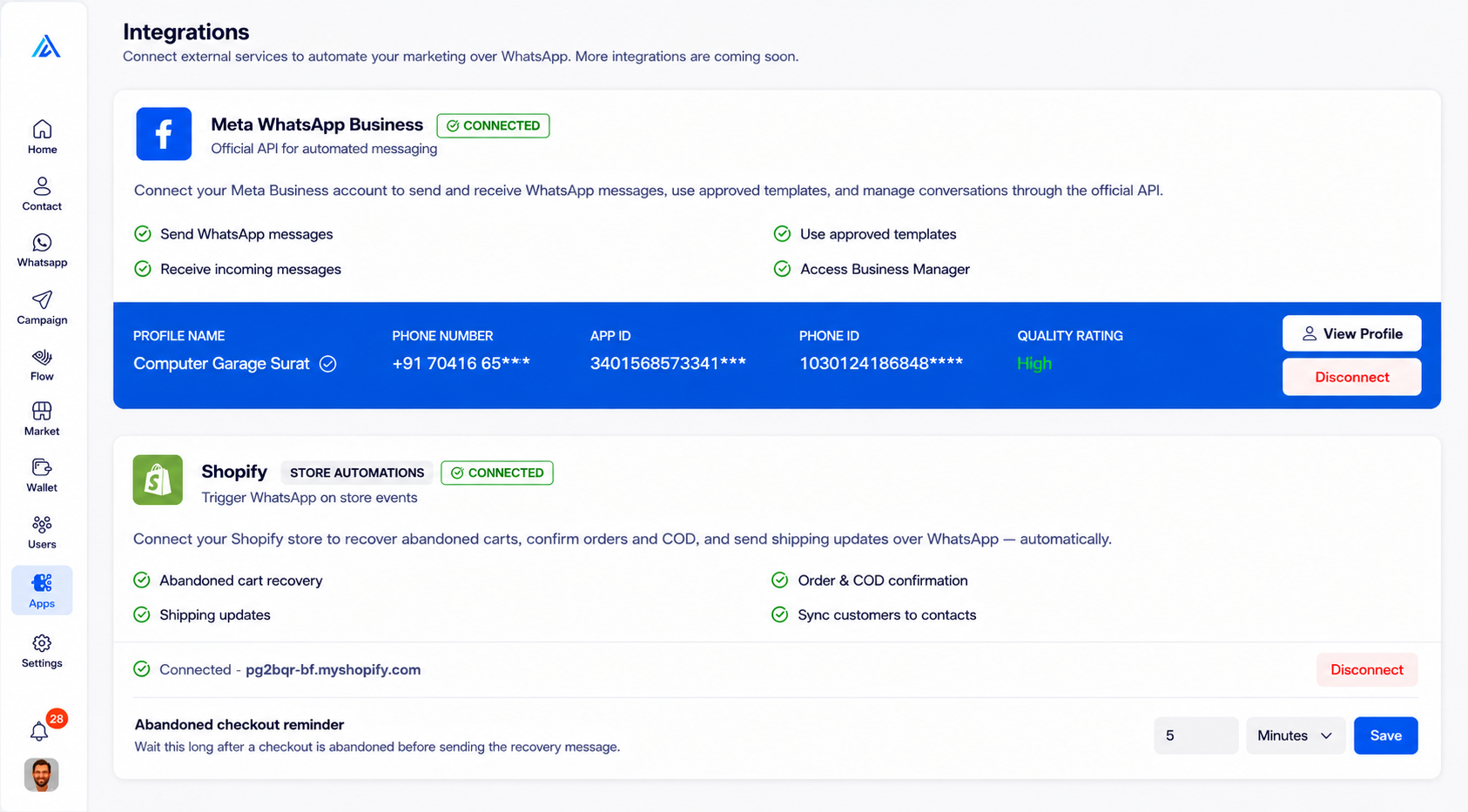
The Apps Module allows you to connect and manage third-party integrations like Meta WhatsApp Business and Shopify.
How to Access the App Marketplace Interface
Before you can manage your third-party integrations, you need to navigate to the App Marketplace Interface dashboard.
Step 1: Log in
Log in to your account to view your main dashboard.
Step 2: Open the Integrations Dashboard
Look at the main menu on the left side of your screen. Find and click the Apps icon (the grid icon) to directly open the integrations dashboard.
How to Connect Integrations
The main Integrations screen lists all available third-party services you can connect to your Arthix account. Here you can see your active Meta WhatsApp Business connection and your linked Shopify store.
Step 1: Locate an App
Scroll through the list of available integrations such as Meta WhatsApp Business or Shopify.
Step 2: Connect
Click the Connect or Configure button next to the desired service to link it to your Arthix account.